Get started in three steps
Install Cicada, get a Ling key, then follow the guide in the app. About five minutes.
Requires macOS 26 or later on an Apple silicon Mac
Send the download link to your Mac. You can sign up for a Ling key on your phone right now.
-
Blocked the first time you open it?
That’s expected. Allow it once:
System Settings›Privacy & Security›Open Anyway -
Needed for the full experience · about 1 minute
Get a Ling API key
Cicada’s AI runs on Ling, Ant Group’s model service. Sign up on the Ling platform, click “Create Credential” and copy the string that starts with
Get a Ling key (opens the Ling platform in a new tab)sk-. You’ll paste it into Cicada next.Ling gives ¥10 of credit every monthAbout 10–50 hours of meetings, depending on how much is said. Offer as stated by Ling; your key is stored only on your Mac.
With a key you get- Notes while the meeting runsSummary, topics, decisions and to-dos, with a full version afterwards
- Sharper translationWhole sentences, with names and terms kept consistent
- Natural interpretingSpeaks in about 2 seconds in a natural voice, or in your own
Without a key, live subtitles and meeting records still work.
-
Open Cicada and follow the guide
The first-run guide takes you through three things:
- Let Cicada hear your Mac’s audio
- Paste your Ling key
- Play the sample video and watch subtitles and notes appear
After that, Cicada starts on its own whenever a video or call plays.
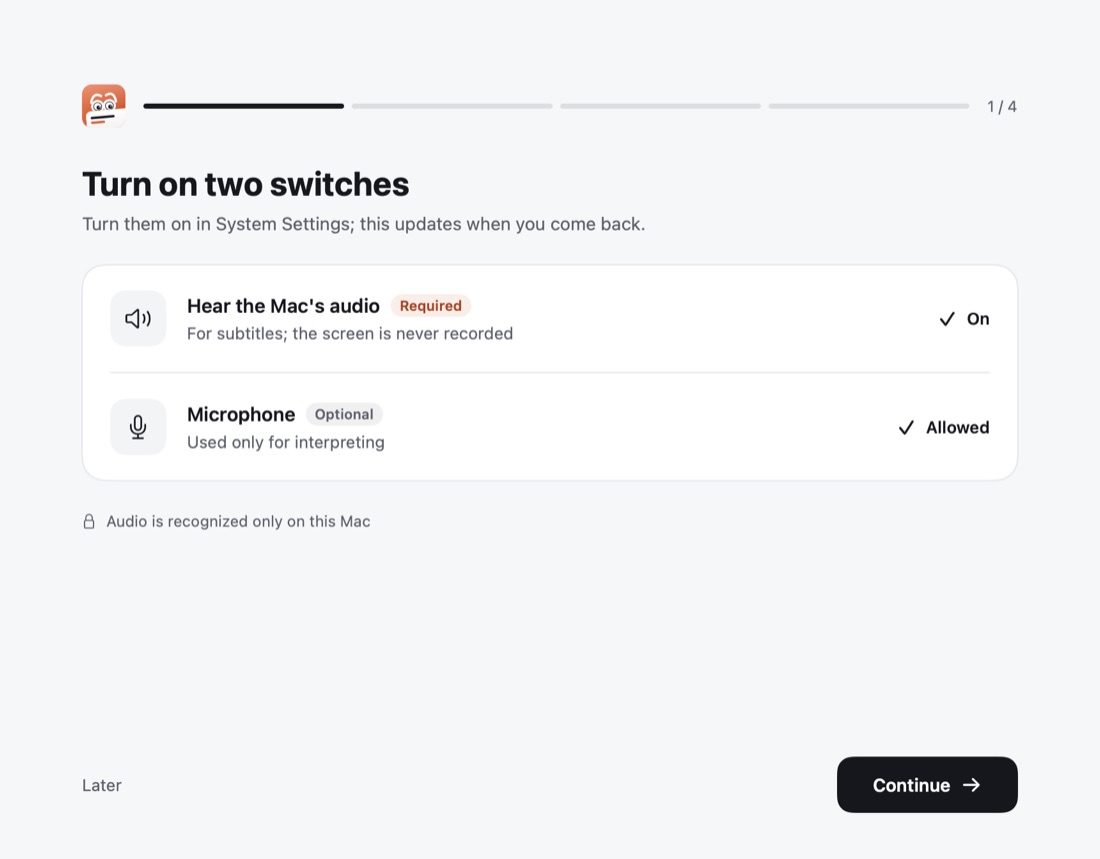
Guide 1/4: let Cicada hear your Mac 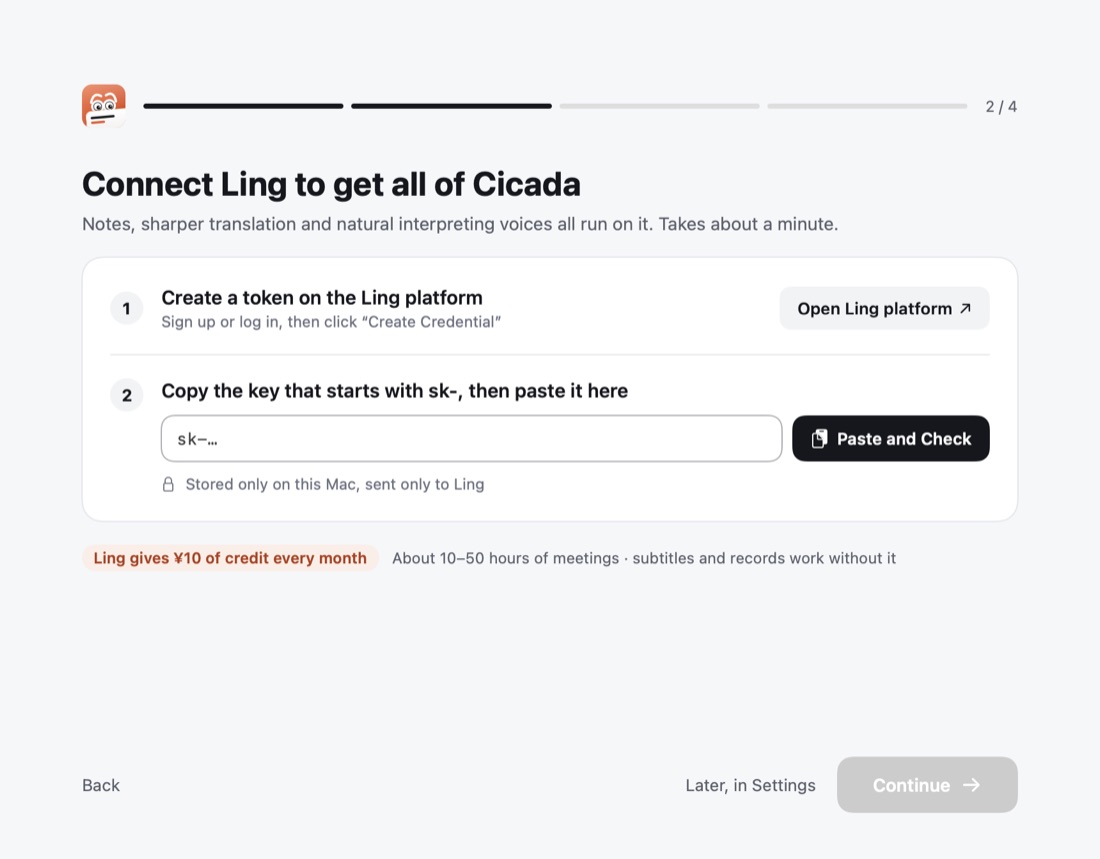
Guide 2/4: paste your Ling key
Turn on when you need it
Interpreting
Hold right ⌥ and talk; the meeting hears you translated. The first time, Cicada walks you through installing a virtual microphone.
Your own voice
Record 15 seconds and the translation is spoken in your voice. Record it in Settings › Interpreting.
Models, shortcuts, uninstalling and other details are in the README on GitHub.